 EUTax
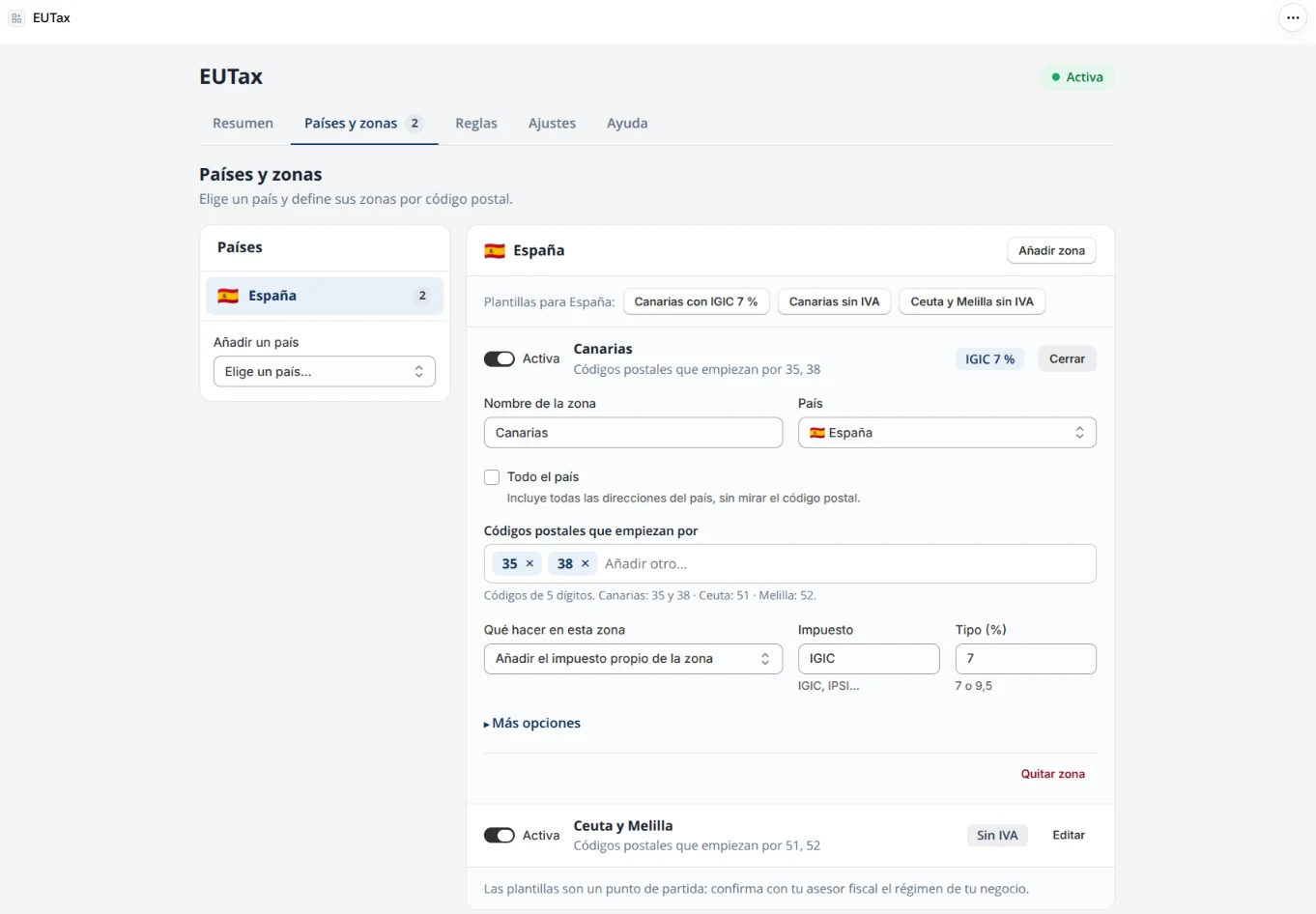
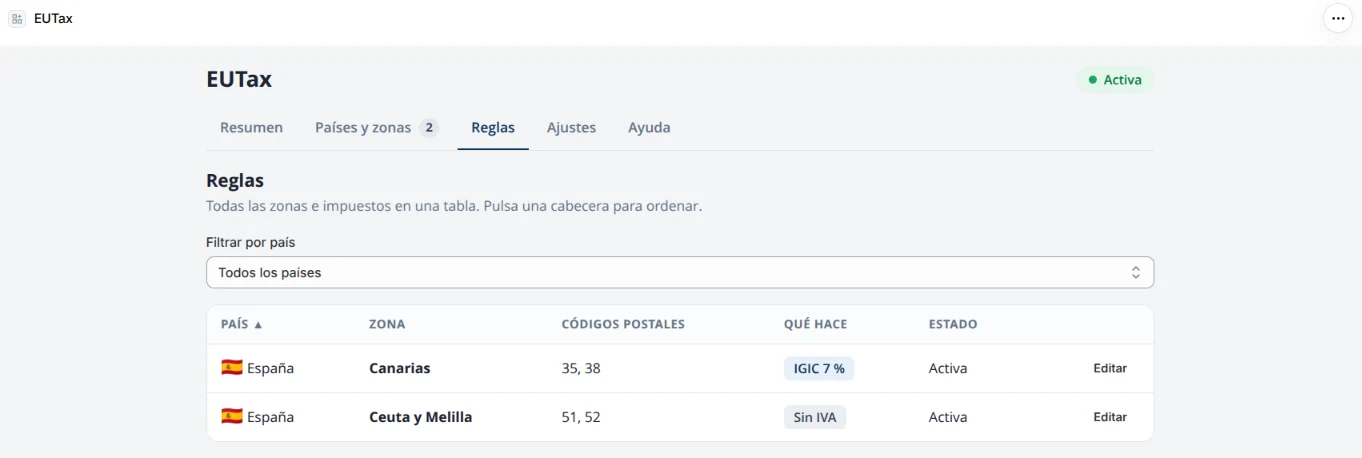
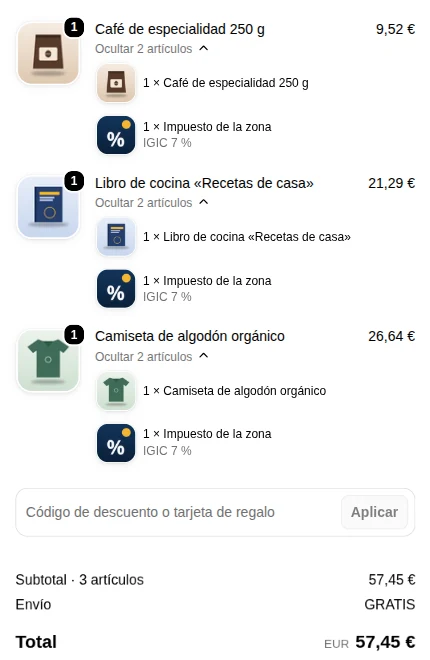
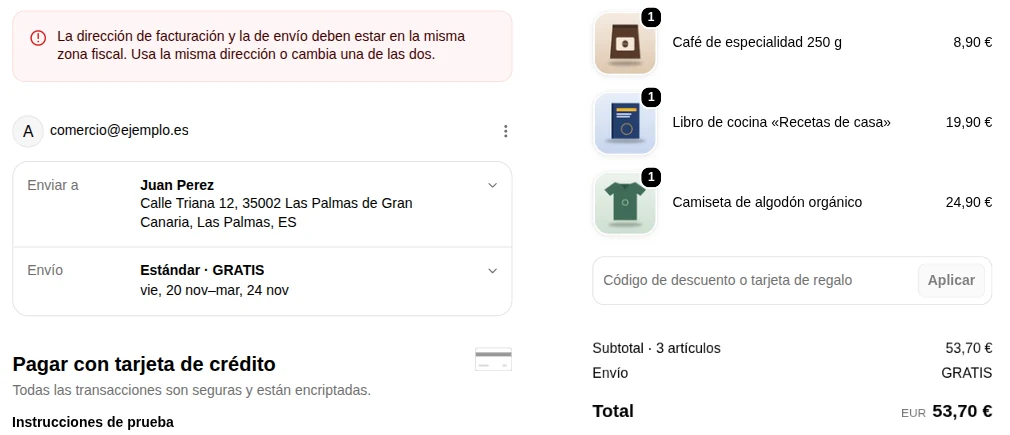
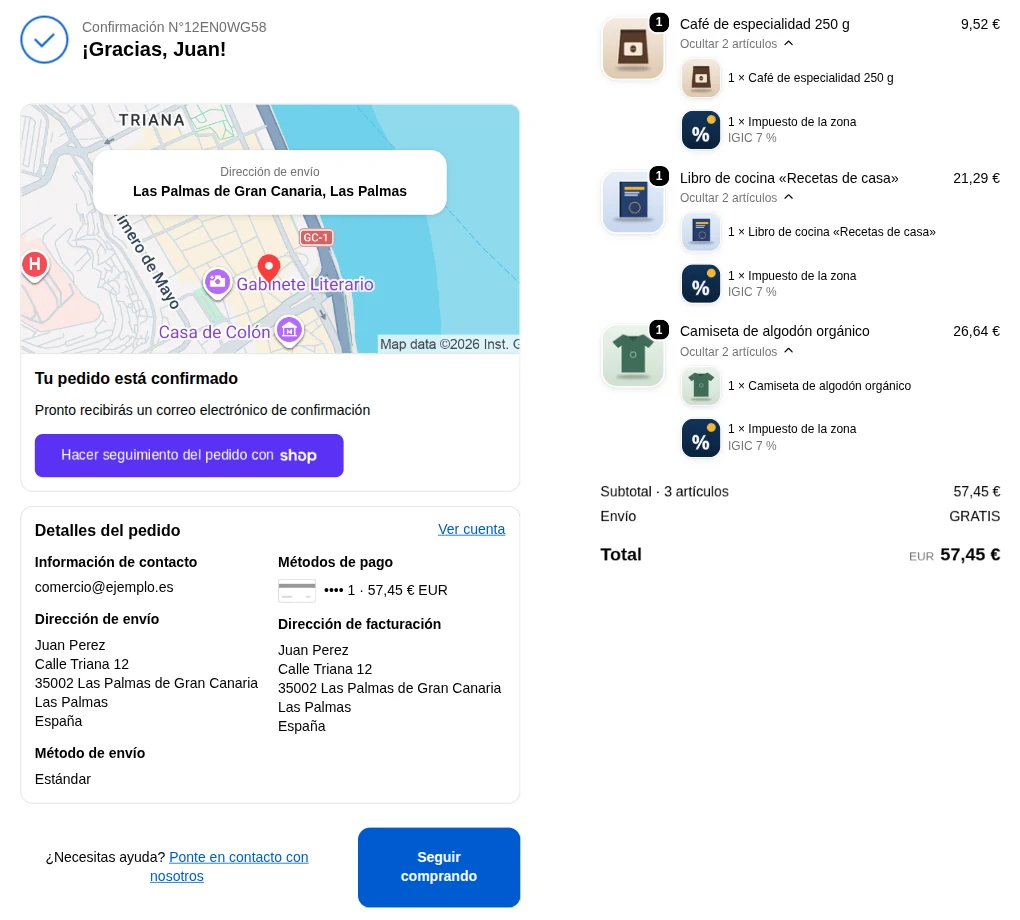
Some territories of the EU and the UK have their own tax regime: the Canary Islands (IGIC), Ceuta and Melilla (IPSI), and others outside the EU VAT territory. Shopify does not calculate those local taxes. EUTax recognises the zone from the country and postal code of the customer’s billing address and, depending on how you configure it, adds the zone’s own tax (for example IGIC 7 %) as a line under each product, or stores the exemption legend on the order. It also blocks checkout when the billing and shipping addresses are in different zones.
1Add your countries and zones
Add your countries and zones. Open the app from the Shopify admin, go to “Countries & zones”, pick a country and a template (for example “Canary Islands with IGIC 7 %”) or create your own zone with its postal codes.
2Review the settings
Check the settings. Say whether your store prices already include tax and, if needed, enter the VAT rates of your country and your product tags.
3Activate the app
Activate the app. Click “Activate” (14-day trial). The app creates the product “Zone tax” by itself; do not delete it.
4Place a test order
Place a test order with an address in that zone and check the breakdown at checkout and on the order.
Common cases
Store in the Canary Islands
Charge IGIC instead of VAT to customers in the Canary Islands. Template «Canary Islands with IGIC 7 %».
Store on the mainland
Keep the Canary Islands, Ceuta and Melilla VAT-free and store the exemption legend on the order.
Known limitations
Subscription products
Shopify does not allow cart-line changes on products with a selling plan (subscription), so EUTax does not add the tax line to those products. If you sell subscriptions, test first and check with your accountant.
Questions?
Check the frequently asked questions or write to us: we reply by email, usually within one or two working days.